Type or paste your words into the box, give the puzzle a title if you like, and press "Make puzzle". Print it with its answer key, or solve it on the screen.
How to make a word search
- Put in your words. Type or paste them into the box beside the heading, with a space, a comma or a new line between them. Up to 20 words.
- Add a title. It prints at the top of the sheet. Leave it and the sheet says "Word search".
- Press "Make puzzle". The grid is as small as your words allow, so short lists make small, friendly puzzles.
- Choose Easy, Medium or Hard. Then print it, or solve it right here.
Easy, Medium or Hard
| Choice | How the words run |
|---|---|
| Easy | Across and down |
| Medium | Across, down and corner to corner |
| Hard | All of those, forwards or backwards |
Print it with the answer key
Press Print for two pages: the puzzle, with a line for a name, and its answer key. They fit US Letter and A4 paper. To keep a file, choose "Save as PDF" in the print window where your browser offers it. Every press of "New puzzle" makes a different sheet, so each child at a table can have their own.
What the box accepts
Words of 3 to 14 letters, a to z only, up to 20 of them. Capitals become small letters in the list and capitals in the grid, and an apostrophe is dropped. A word on the game's blocked list is left out, and the page tells you how many were. A list with more letters than the largest grid holds, 18 squares a side, loses its longest words until it fits.
The title may use letters, numbers, spaces, hyphens and apostrophes. A title with anything else, or with a blocked word, is not used, and the sheet says "Word search".
How the grid is kept clean
The empty squares are filled with letters picked at random. Before a puzzle is shown, the page reads every row, column and diagonal in both directions, and changes any square that helps spell a word we would not show a child. A hidden word that would spell such a word backwards is only ever placed forwards. The puzzle is made in your browser: nothing is saved or sent.
A spelling list makes a good puzzle
Put in this week's spelling words and the puzzle hides each one in the grid. The same list works in spelling practice, where the words are typed, and in the spelling test.
What it looks like on paper
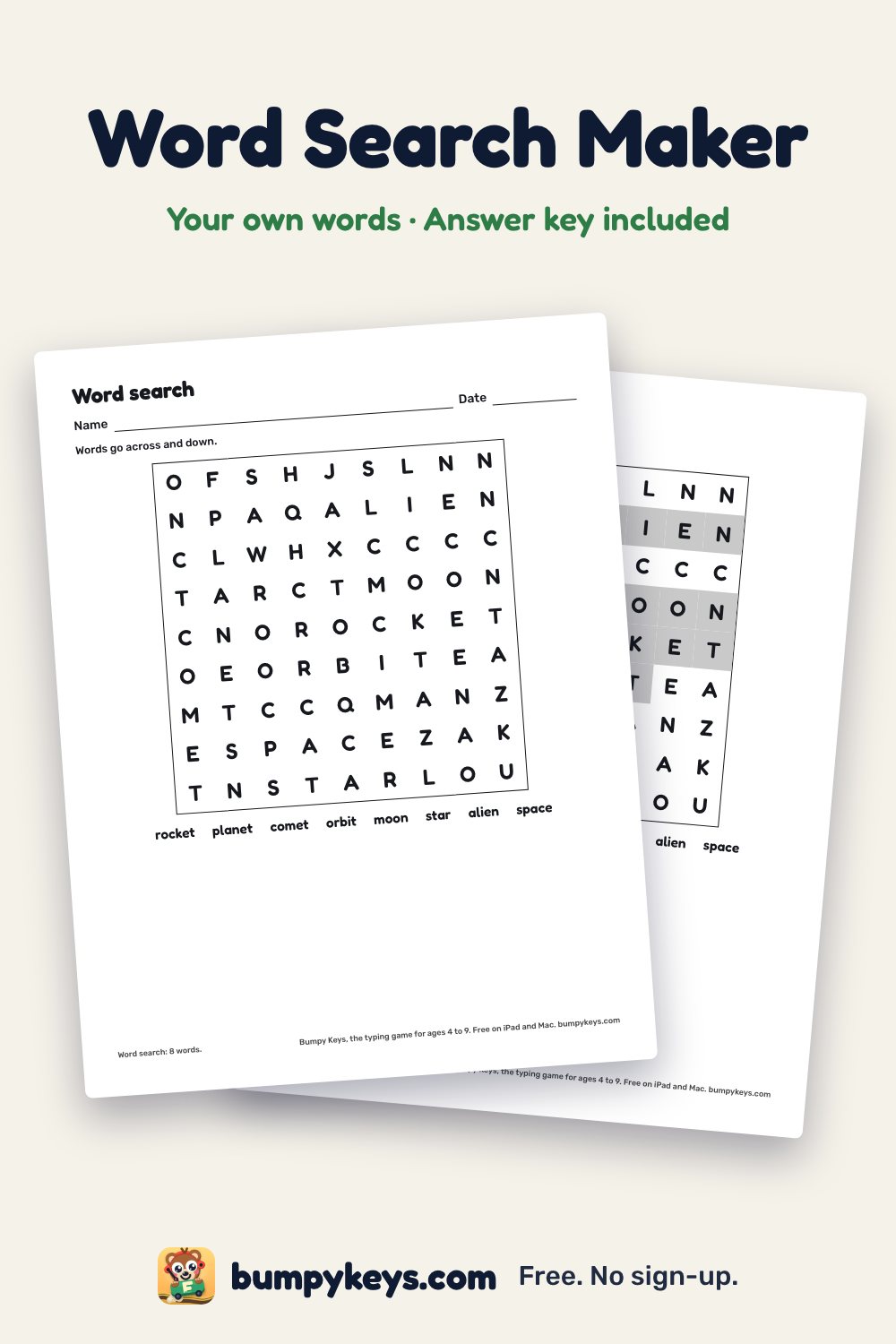
These are the two pages the maker prints: the puzzle, and its answer key with the hidden words in dark squares.
For grown-ups: save this page to Pinterest.
Ready-made word searches
Word search for kids · Sight word word search · Christmas word search · Halloween word search · Thanksgiving word search · Valentine's Day word search · St. Patrick's Day word search
Questions
Is the word search maker free?
Yes. There are no ads, nothing to sign up for and no limit on how many puzzles you make.
Does it make an answer key?
Yes. Print gives two pages: the puzzle and its answer key, with the hidden words in dark squares.
How many words can I use?
Up to 20, each from 3 to 14 letters long.
Can children solve it on the screen?
Yes. Tap the first letter of a word, then its last letter. It works with a mouse, a trackpad or a touch screen.
Are my words saved?
No. The puzzle is made in your browser. Nothing is saved or sent.